

VPS GAME Ryzen
Discover our Ryzen VPS hosting, ideal for professional applications and game servers. Enjoy high performance, maximum reliability, and exceptional computing power with the latest generation AMD Ryzen processors. Linux KVM VPS with ultra-fast SSD NVMe storage and efficient virtualization for stable, optimized hosting at a competitive price.

Our offers
Choose the plan that fits your needs
Nano
Starting from 8.99€ / Per month
- Processor
- 1 vCPU Ryzen 9 9950x @5.70GHz
- RAM Memory
- 4 GB DDR5 5600 MHz
- Storage
- 50 GB SSD NVMe Gen4
- Bandwidth
- 1 Gbps bandwidth
- IP Address
- 1 IPv4/IPv6 included
- Protection
- Anti-DDoS Included
- Virtualization
- KVM virtualization
Out of stock
Core
Starting from 14.99€ / Per month
- Processor
- 2 vCPU Ryzen 9 9950x @5.70GHz
- RAM Memory
- 8 GB DDR5 5600 MHz
- Storage
- 100 GB SSD NVMe Gen4
- Bandwidth
- 1.5 Gbps bandwidth
- IP Address
- 1 IPv4/IPv6 included
- Protection
- Anti-DDoS Included
- Virtualization
- KVM virtualization
Out of stock
Turbo
Starting from 24.99€ / Per month
- Processor
- 4 vCPU Ryzen 9 9950x @5.70GHz
- RAM Memory
- 12 GB DDR5 5600 MHz
- Storage
- 150 GB SSD NVMe Gen4
- Bandwidth
- 2 Gbps bandwidth
- IP Address
- 1 IPv4/IPv6 included
- Protection
- Anti-DDoS Included
- Virtualization
- KVM virtualization
Out of stock
Titan
Starting from 34.99€ / Per month
- Processor
- 6 vCPU Ryzen 9 9950x @5.70GHz
- RAM Memory
- 16 GB DDR5 5600 MHz
- Storage
- 200 GB SSD NVMe Gen4
- Bandwidth
- 2.5 Gbps bandwidth
- IP Address
- 1 IPv4/IPv6 included
- Protection
- Anti-DDoS Included
- Virtualization
- KVM virtualization
Out of stock
VPS GAME Ryzen — Our offers
Standard
- Nano — Out of stock
- 1 month: 8.99€ / Per month
- 3 months: 25.62€ / Per quarter (au lieu de 26.97€, -5%)
- 6 months: 48.55€ / Per half-year (au lieu de 53.94€, -10%)
- 12 months: 91.70€ / Per year (au lieu de 107.88€, -15%)
- Processor
- 1 vCPU Ryzen 9 9950x @5.70GHz
- RAM Memory
- 4 GB DDR5 5600 MHz
- Storage
- 50 GB SSD NVMe Gen4
- Bandwidth
- 1 Gbps bandwidth
- IP Address
- 1 IPv4/IPv6 included
- Protection
- Anti-DDoS Included
- Virtualization
- KVM virtualization
- Core — Out of stock
- 1 month: 14.99€ / Per month
- 3 months: 42.72€ / Per quarter (au lieu de 44.97€, -5%)
- 6 months: 80.95€ / Per half-year (au lieu de 89.94€, -10%)
- 12 months: 152.90€ / Per year (au lieu de 179.88€, -15%)
- Processor
- 2 vCPU Ryzen 9 9950x @5.70GHz
- RAM Memory
- 8 GB DDR5 5600 MHz
- Storage
- 100 GB SSD NVMe Gen4
- Bandwidth
- 1.5 Gbps bandwidth
- IP Address
- 1 IPv4/IPv6 included
- Protection
- Anti-DDoS Included
- Virtualization
- KVM virtualization
- Turbo — Popular Offer — Out of stock
- 1 month: 24.99€ / Per month
- 3 months: 71.22€ / Per quarter (au lieu de 74.97€, -5%)
- 6 months: 134.95€ / Per half-year (au lieu de 149.94€, -10%)
- 12 months: 254.90€ / Per year (au lieu de 299.88€, -15%)
- Processor
- 4 vCPU Ryzen 9 9950x @5.70GHz
- RAM Memory
- 12 GB DDR5 5600 MHz
- Storage
- 150 GB SSD NVMe Gen4
- Bandwidth
- 2 Gbps bandwidth
- IP Address
- 1 IPv4/IPv6 included
- Protection
- Anti-DDoS Included
- Virtualization
- KVM virtualization
- Titan — Out of stock
- 1 month: 34.99€ / Per month
- 3 months: 99.72€ / Per quarter (au lieu de 104.97€, -5%)
- 6 months: 188.95€ / Per half-year (au lieu de 209.94€, -10%)
- 12 months: 356.90€ / Per year (au lieu de 419.88€, -15%)
- Processor
- 6 vCPU Ryzen 9 9950x @5.70GHz
- RAM Memory
- 16 GB DDR5 5600 MHz
- Storage
- 200 GB SSD NVMe Gen4
- Bandwidth
- 2.5 Gbps bandwidth
- IP Address
- 1 IPv4/IPv6 included
- Protection
- Anti-DDoS Included
- Virtualization
- KVM virtualization
Available distributions
Our VPS include a selection of operating systems, applications and ISO images ready for deployment.

















Can't find what you need? Reach out to us and we'll see what we can do.
Manage your VPS GAME Ryzen KVM Linux easily
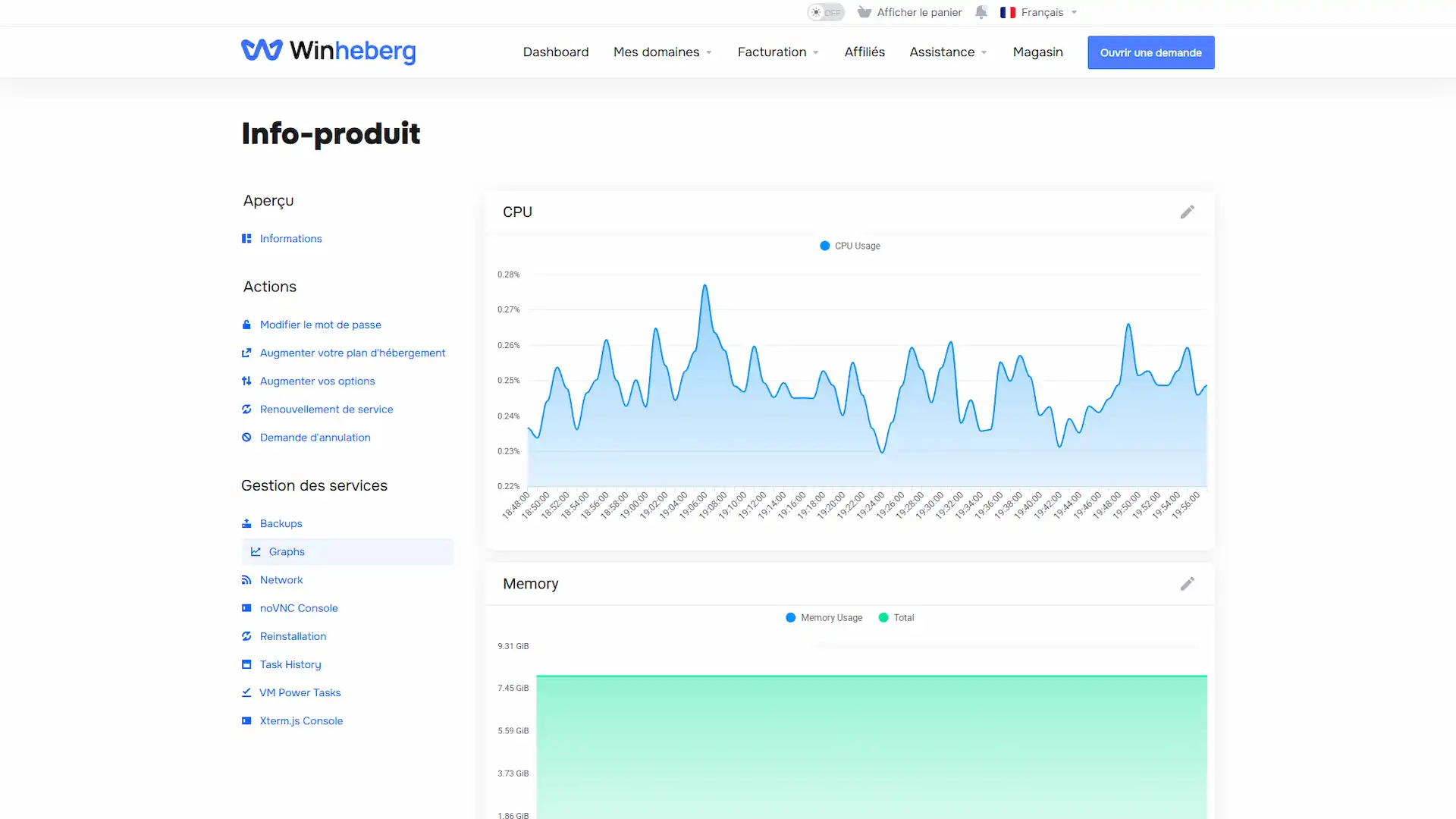
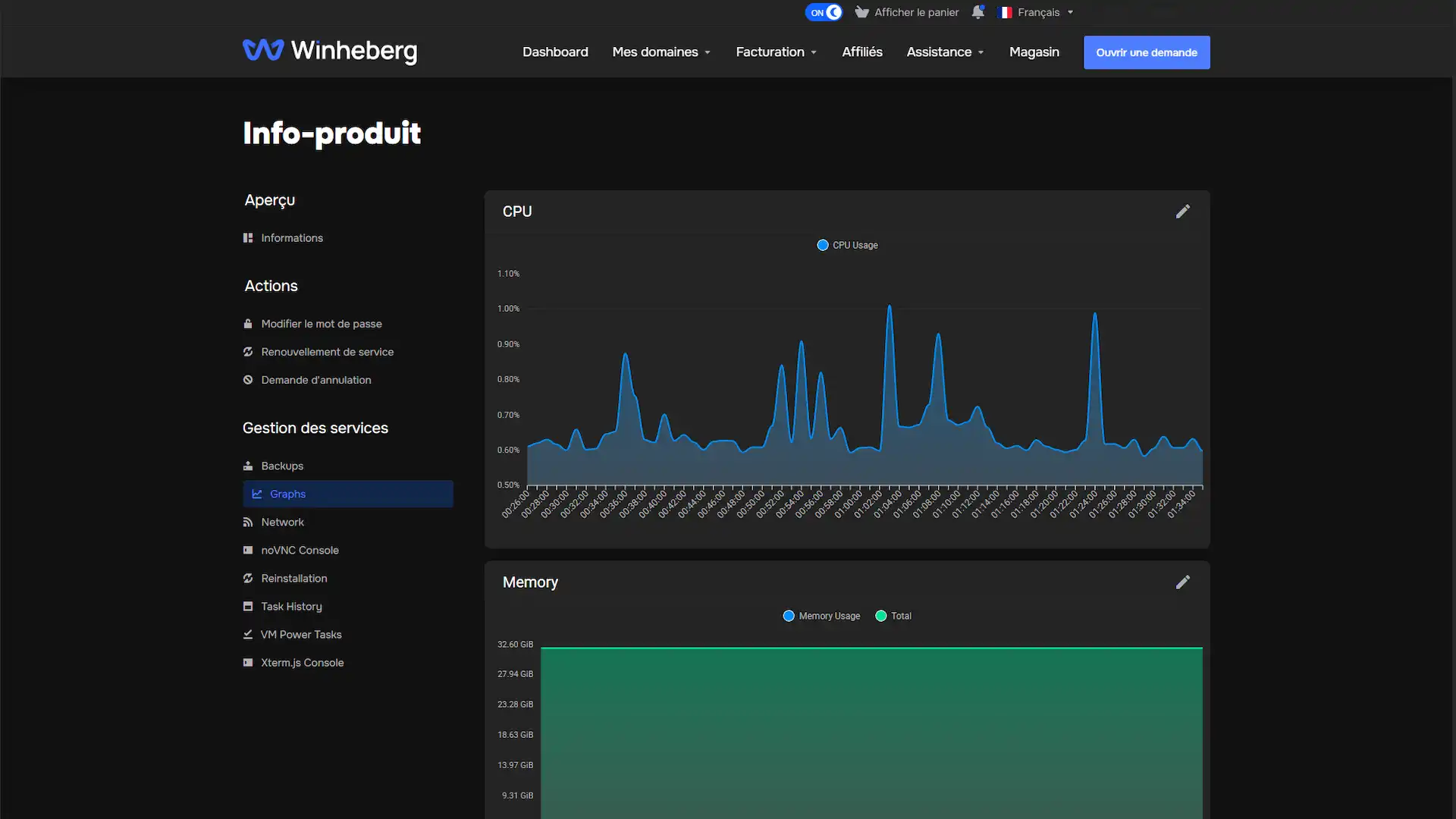
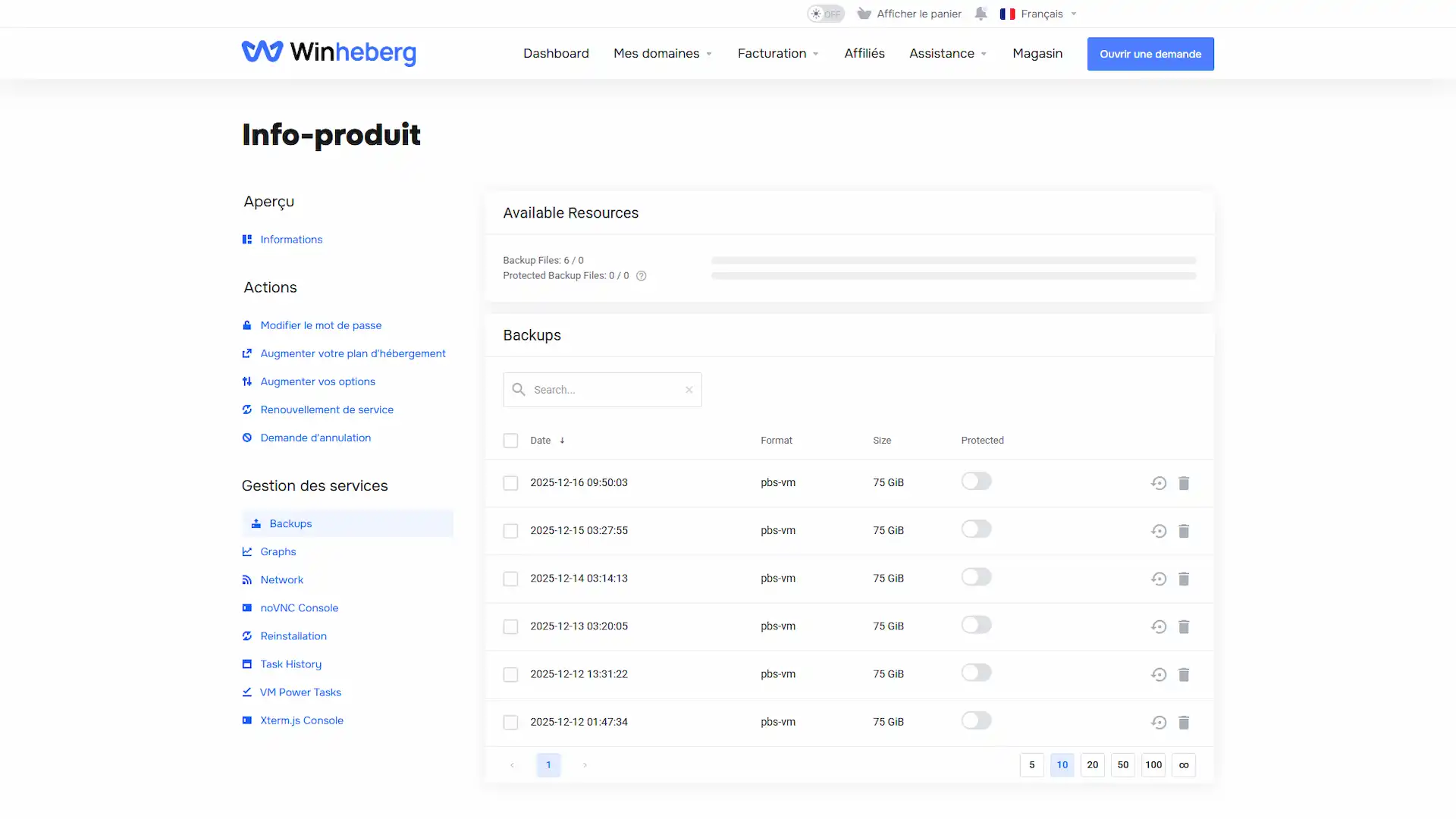
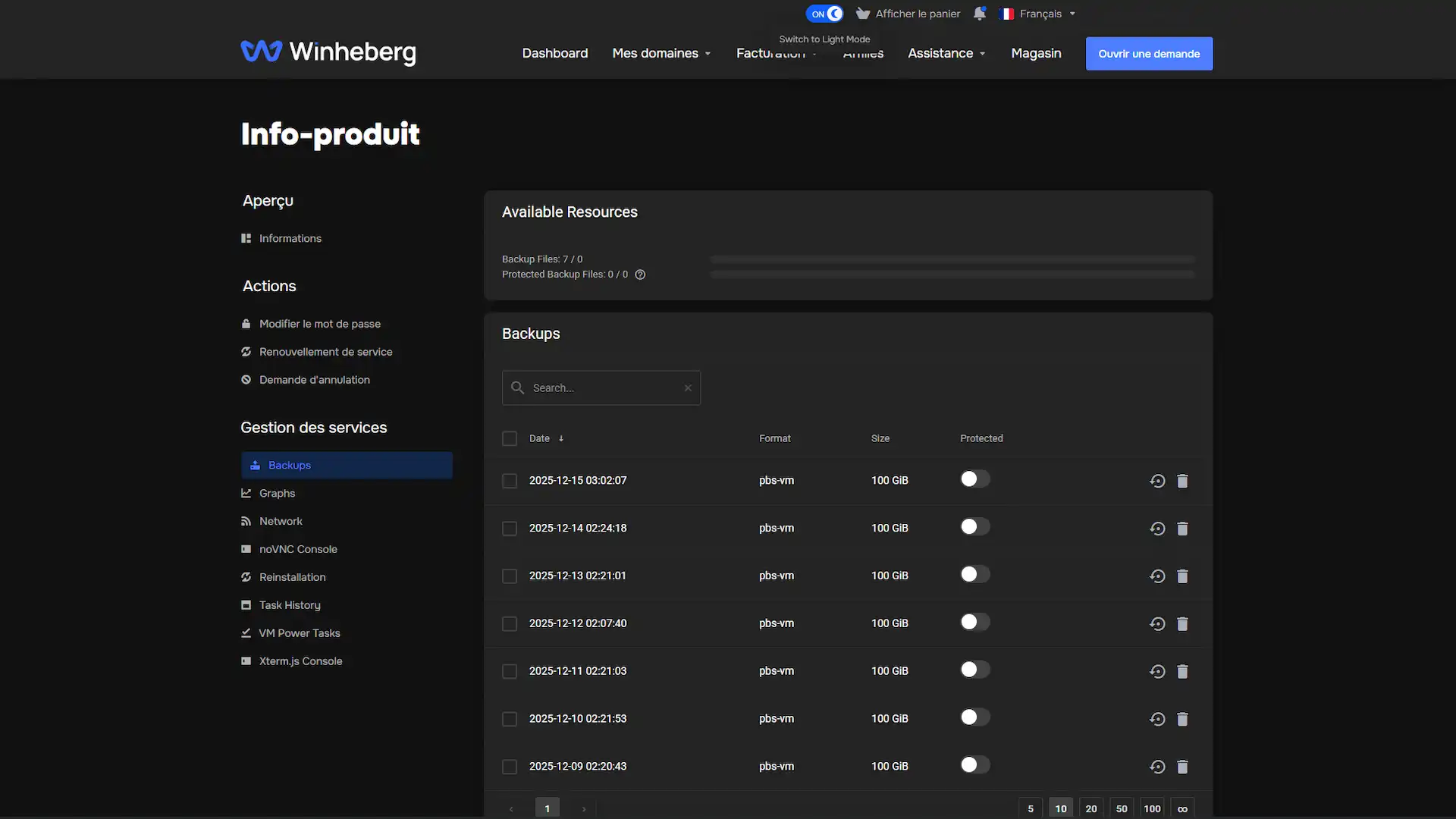
Intuitive control panel for complete management of your VPS GAME Ryzen hosting. Monitor resources in real-time, manage backups, and upgrade your VPS server instantly.
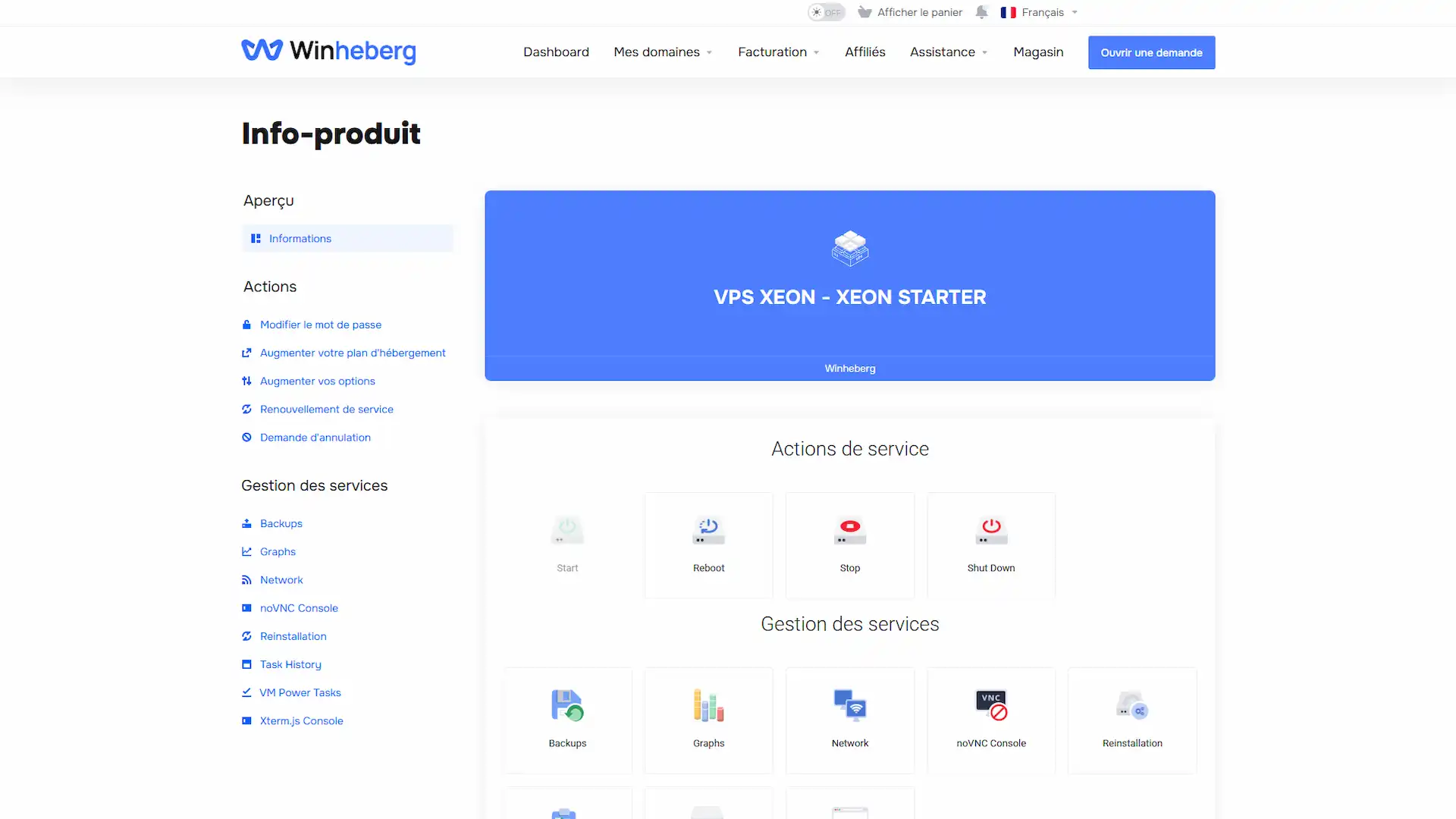
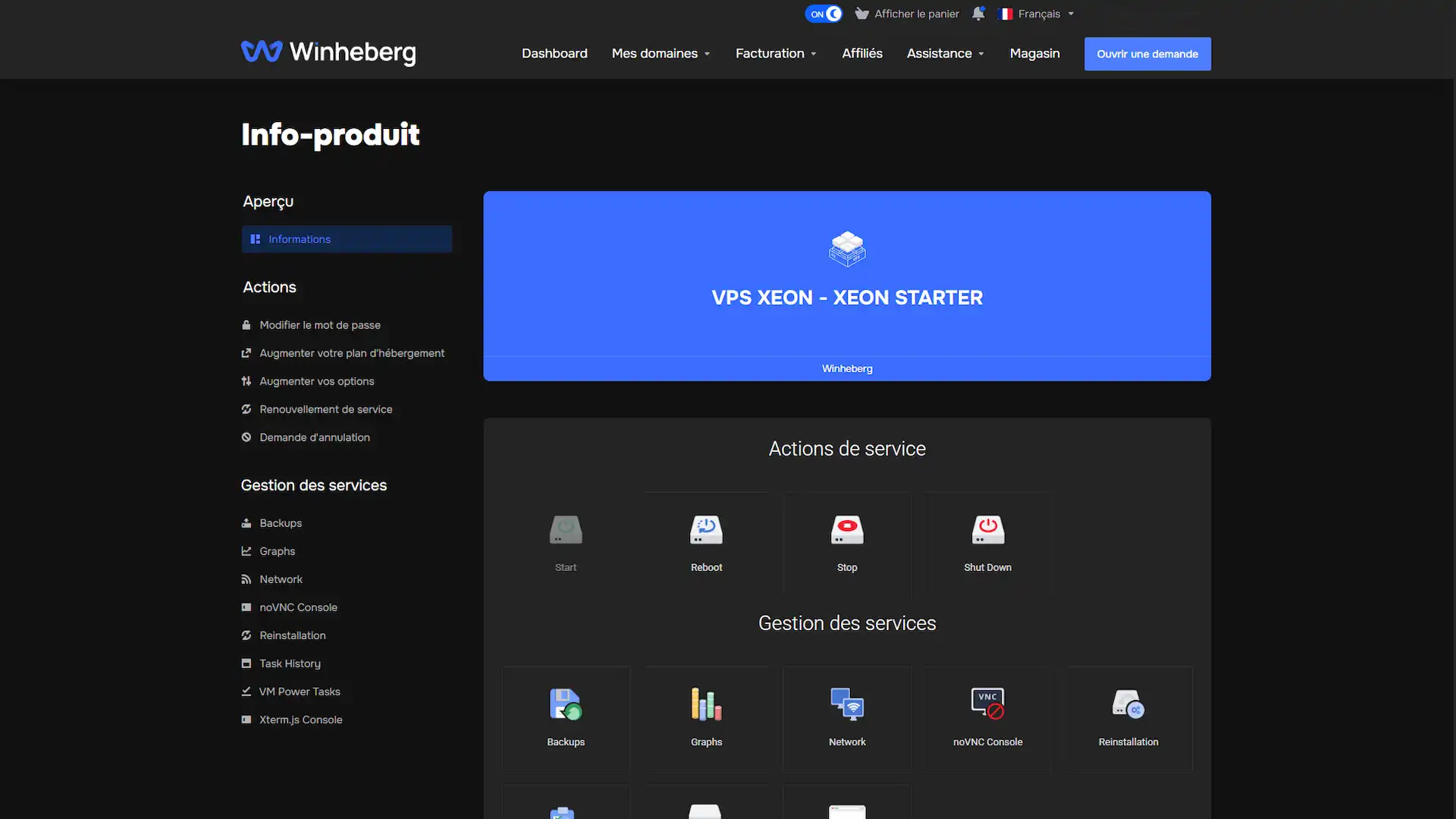
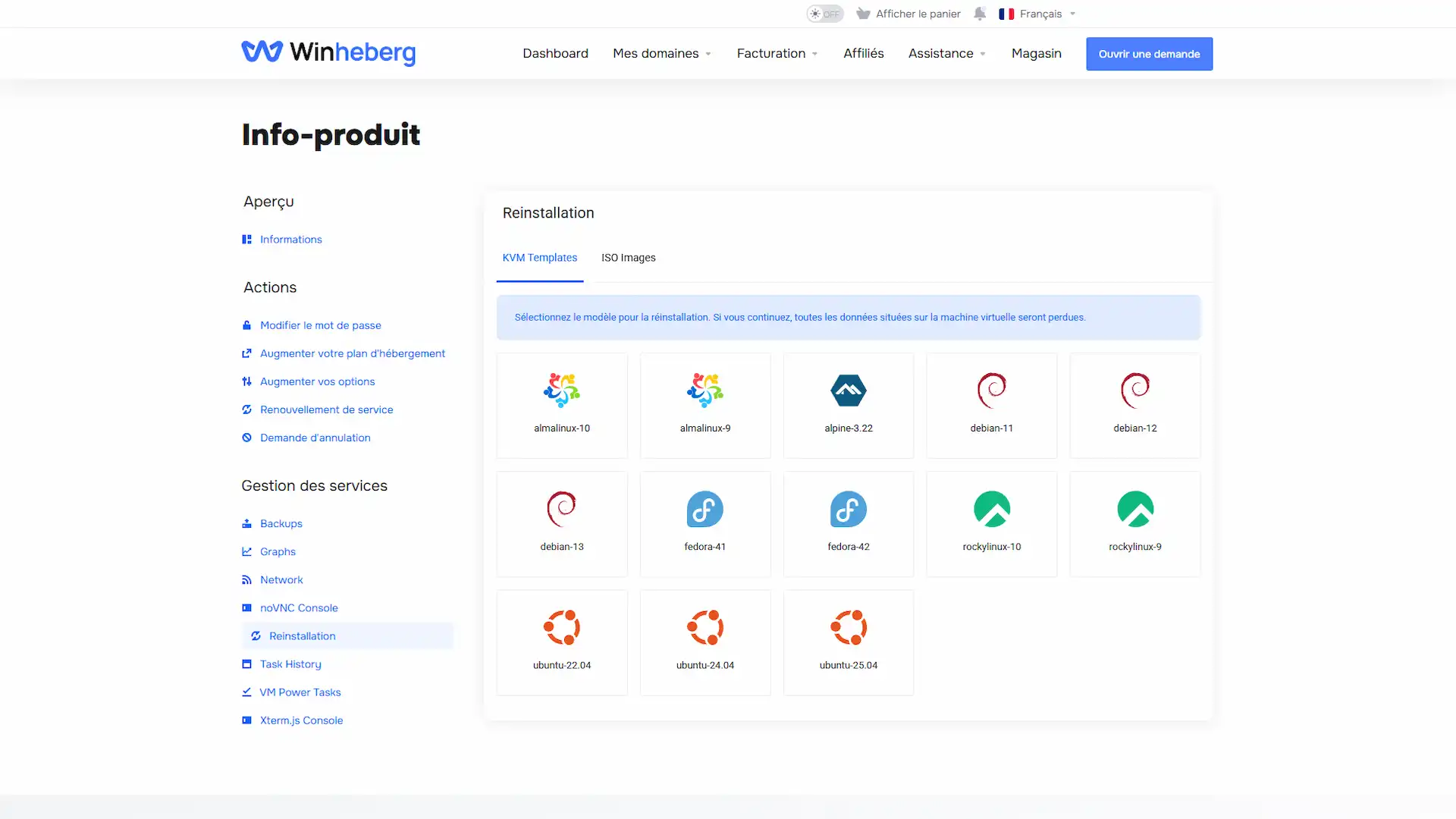
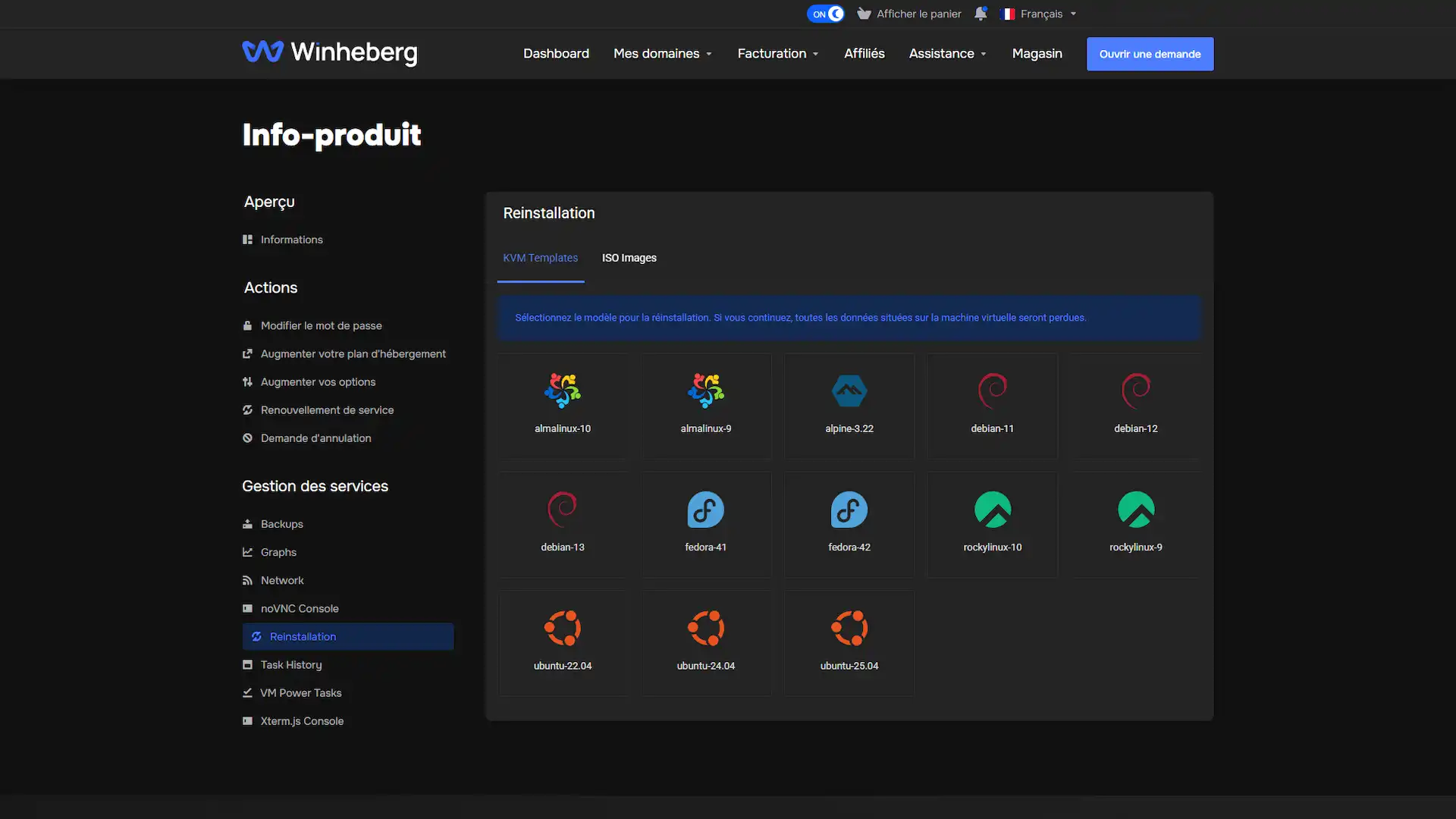
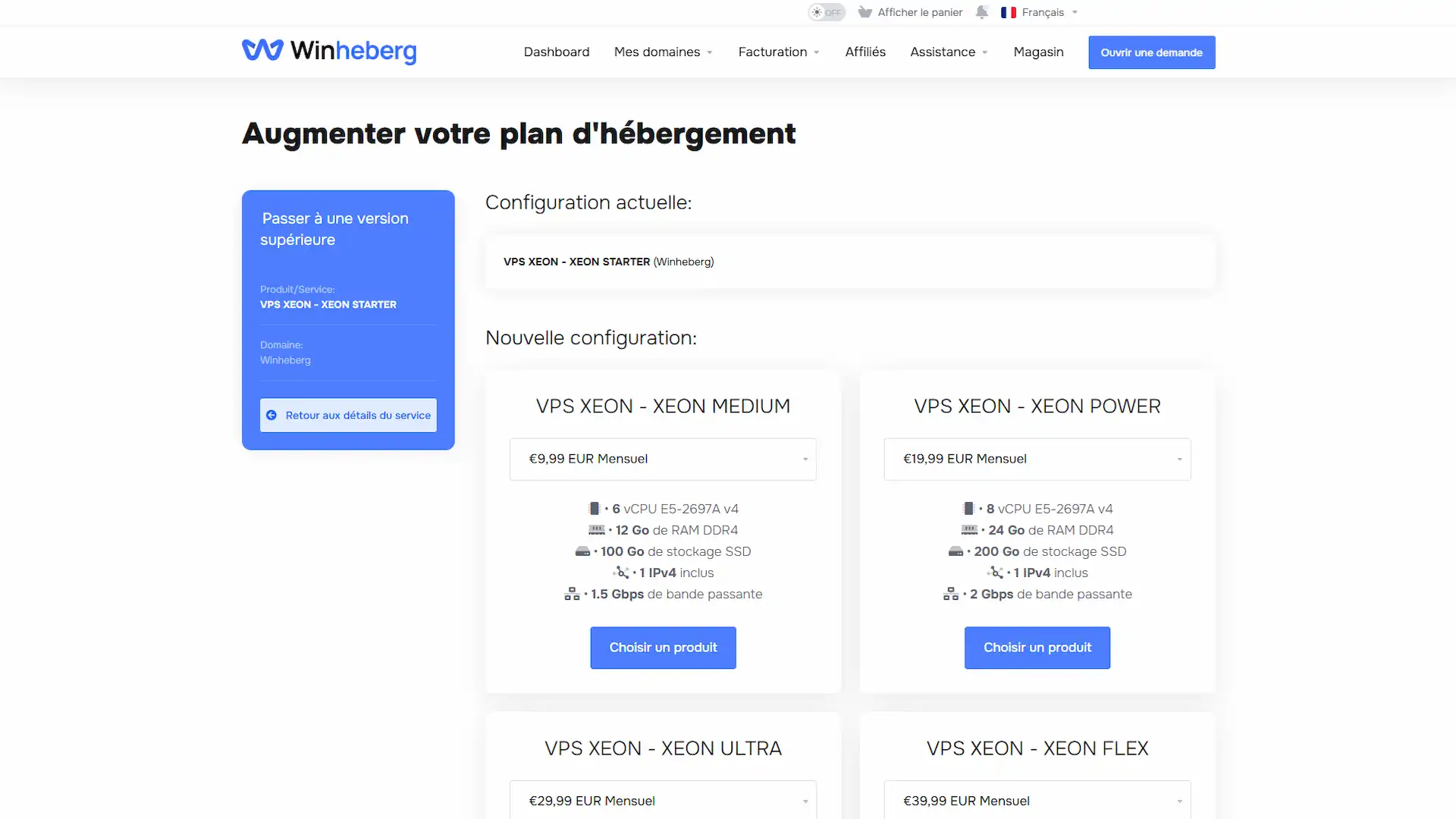
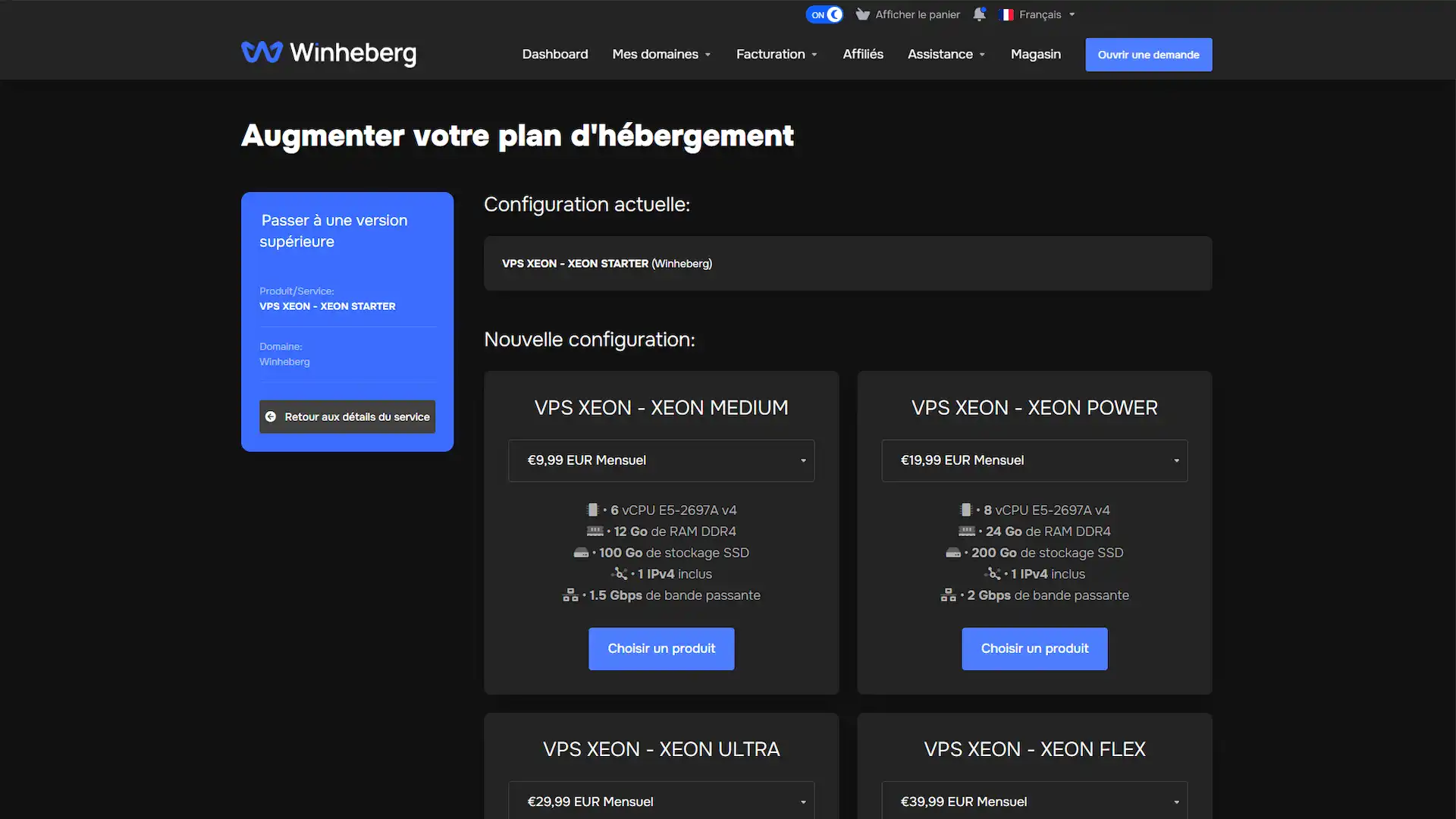
VPS Management Panel
Manage your VPS Ryzen from a powerful and intuitive interface. Start, stop or restart with one click, monitor live logs and keep full control over your resources from a single centralized dashboard.
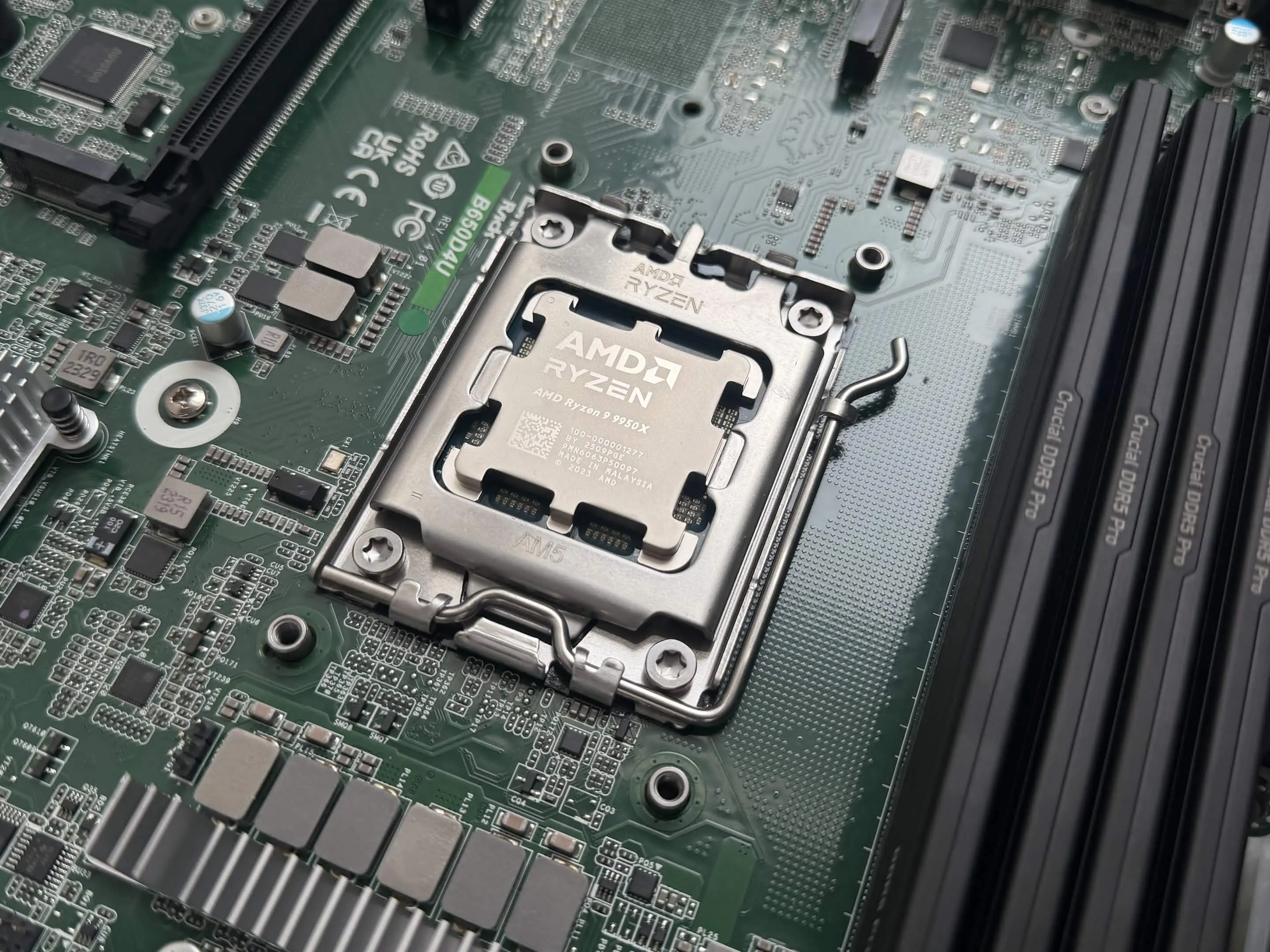
AMD Ryzen 9 9950X Processors
Harness the power of AMD Ryzen 9 9950X processors with our VPS SSD NVMe hosting. Our VPS Ryzen offerings feature AMD Ryzen 9 9950X processors, perfect for gaming servers, demanding applications, and high-performance workloads. Exceptional multi-core performance and computing power at a competitive price.
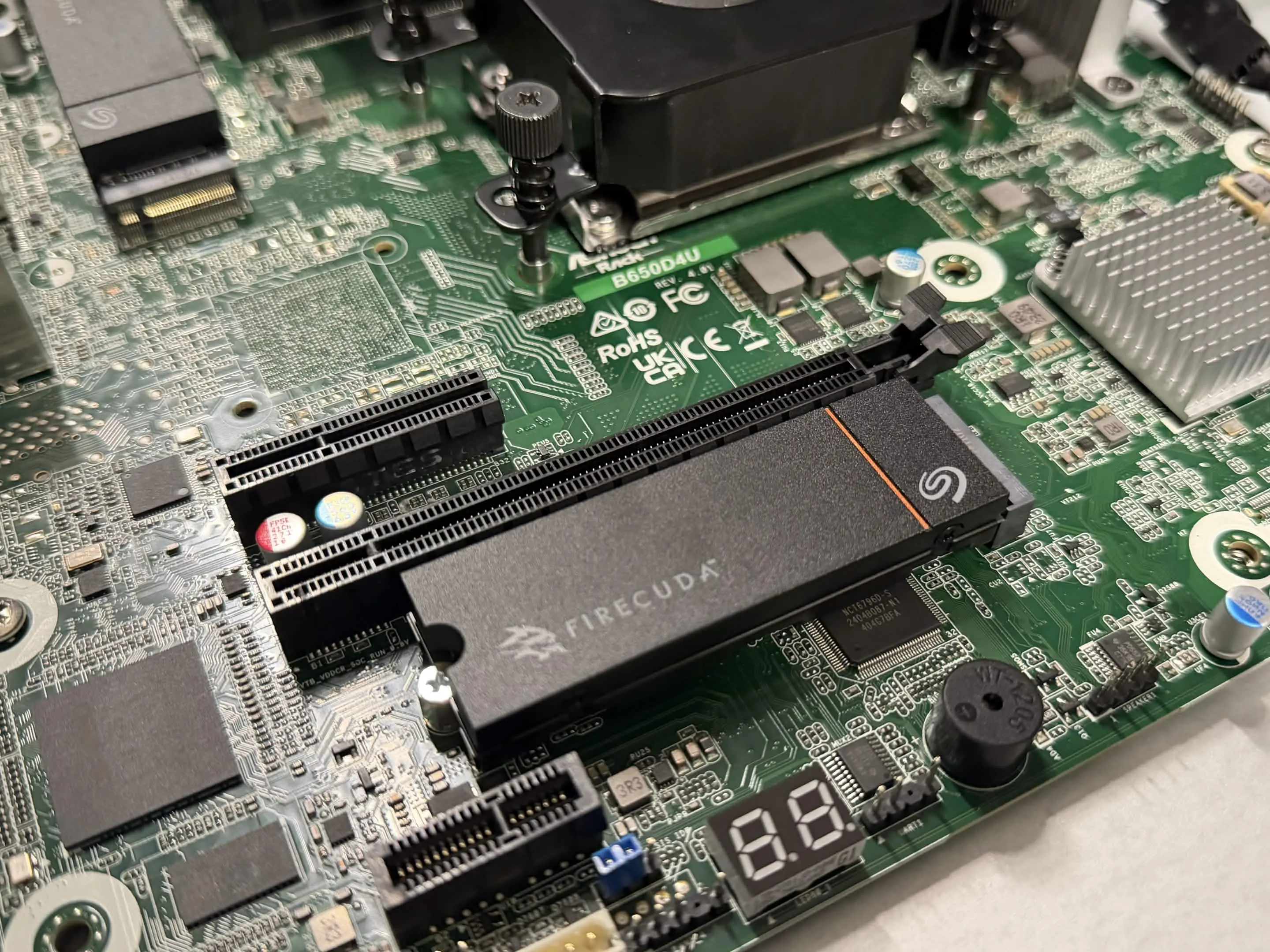
Ultra-Fast NVMe Storage
Experience exceptional VPS Ryzen performance with high-speed NVMe storage. Our VPS Ryzen combines NVMe drives with KVM Linux virtualization to deliver reliable, ultra-fast hosting for gaming servers and demanding applications.
Your advantages with Winheberg VPS Ryzen hosting
Why choose Winheberg for your VPS Ryzen KVM Linux server?
Our VPS KVM panel facilitates the management of your VPS Ryzen server. Whether you are a beginner or an expert, you benefit from a simple, intuitive and fast-to-use interface.
Our infrastructure is entirely located in France at our partner Nlighten's facilities, giving your applications and game servers low latency and keeping your data under full EU sovereignty.
AMD Ryzen 9 9950X
High performance for your VPS Ryzen
Our VPS Ryzen servers are equipped with AMD Ryzen 9 9950X processors, capable of handling demanding applications and game servers without slowdown. Enjoy exceptional multi-core performance for your Linux KVM virtualization, even under full load.
NVMe Storage
Ultra-fast storage for your VPS
Experience blazing-fast performance with our NVMe storage. Ultra-fast data access, perfect for gaming servers, databases, and high-performance applications on your Ryzen VPS.
Anti-DDoS Protection
Advanced security for your VPS
Our anti-DDoS protection offers a filtering capacity of 24 Tb/s+ and provides active mitigation for your VPS Ryzen, with detection and mitigation typically completed within 5 seconds to reduce the risk of service disruption.
Learn more about Anti-DDoS ProtectionVPS Ryzen Documentation
Guides and tutorials to manage your AMD Ryzen VPS
How to Secure Your Linux VPS (2026 Guide)
Secure your Winheberg Linux VPS, system updates, SSH key authentication, firewall, and CrowdSec, whatever your distribution.
How to Test Your VPS's Bandwidth
Test your Winheberg VPS's bandwidth with Speedtest and iperf3, and learn how to properly interpret your results.

How to Change Your VPS's Root Password
Change your Winheberg VPS's root password from your client area or via SSH with the passwd command.

How to Configure Your VPS's Timezone
Configure your Winheberg VPS's timezone with timedatectl or on Alpine Linux, and check NTP synchronization.
How to Check Your Linux VPS's Technical Specs
Discover the essential commands to check your Winheberg Linux VPS's CPU, RAM, storage, and network, whatever your distribution.

Which Linux Distribution Should You Choose for Your VPS in 2026?
Debian, Ubuntu, AlmaLinux, Rocky, Fedora or Alpine? Our 2026 comparison of the Linux distributions available on our VPS to pick the right one for your project.
How to Find Your VPS's IPv4 Address
Find your Winheberg VPS's IPv4 address from your client area or the delivery email received at order time.
How to Block an IP Address on Your Linux VPS
Block an IP address on your Winheberg VPS with UFW, firewalld, or iptables depending on your distribution, and learn how to identify suspicious IPs.
How to install a newer kernel on Debian via backports
Install a newer Debian kernel from the official backports repositories on your Winheberg VPS, with enabling, installing, checking and rolling back explained step by step.
How to unblock SMTP ports on your Winheberg VPS
SMTP ports are blocked by default on Winheberg VPSes. Learn why, how to check the block and how to request opening them for a legitimate use.
How to configure an additional IP on your VPS
Configure an additional IP on your Winheberg VPS, automatic script method or manual setup depending on your distribution.
What our customers say
Thousands of customers trust us to host their servers.


A great discovery with WinHeberg. Good contact with the staff, they are responsive and open to discussion. You can get feedback at any hour, incredible! In case of issues, they do everything to resolve the problem as quickly and efficiently as possible. Quality server, unlike other hosting providers seen. Hoping the quality continues over time.
Great reaction from the professional staff, nothing to complain about, I strongly recommend this hosting provider, thank you.
Honestly I really don't regret being a customer at Winheberg because their support and all the other help they put in place is truly incredible and the hosting is also incredible 😀😀
Efficient server, fast, no installation issues, great value for money, stable and fast network. I strongly recommend!
I've been using WinHeberg for 1 year, great value for money, and the support is quite responsive. No issues / very few. WinHeberg even allows small servers to get started, which I think is great!
What Winheberg offers is great. The prices are attractive, and the machines offered at those prices are excellent. The staff is also very responsive, they resolve problems quickly and efficiently! Thanks to them :D!
It's the first time I've used a hosting provider and I won't be changing it in the future! Just impeccable in terms of service and machine. The interface is quite easy to understand even for those with no experience (like me). Freshly, I recommend!
I strongly recommend this hosting provider. Why? A competent provider. Regular updates and improvements. Support was very fast and efficient! Well done.
As stated in my title, WinHeberg offers a more than interesting hosting service well below the prices of other providers. The staff is very competent and present for its customers! I can only say positive things.
Customer at Winheberg for several months and using several of their services, I've never been disappointed, whether in terms of services offered, support, etc... An infrastructure in constant improvement with very good overall performance.
A fast, efficient and attentive service, incredible value for money 🤩, I recommend it
Efficient machine, fast, no installation issues, value for money is great! I recommend!
Very good machines for their prices, an attentive staff, just everything is good!
Super friendly, top service, fast response and attentive.
WinHeberg is an excellent hosting provider, 0 lag, the server is clean. Maxime helped me a lot to install things and even advised me. I strongly recommend WinHeberg.
They're just the best with affordable prices, an attentive staff, they know how to teach a few things when you know nothing, it's very fast and simple to use, they are truly the best!
Hosting provider with great potential in terms of offers! Cheap and accessible at all price points to attract as many people as possible, whether you're a beginner or expert in server creation, the support will be there to help with all your problems! I've had a plan for 4 months and had 0 issues.
* Some reviews may have been translated or subject to spelling corrections.
Frequently Asked Questions
Find here a selection of the most frequently asked questions about our VPS Ryzen hosting offers.